Spring 2026 platform release

Everything new in LinguaDig.

The biggest, most coherent shipment in our history. Reading, Speaking, Writing, Videos, Reviews, Subscriptions, Admin — all upgraded, all stitched together, all working as one platform.

Latest release: April 2026✓ 70+ improvements🧭 AI Coach included🎓 Exam-ready
What's new in LinguaDig

60-second tour

Six pillars. One platform. All upgraded.

Every chip below is a tap away. Pick the area you care about and we'll show you exactly what changed.

No breaking changes — your decks, streaks & progress are intact

70+

New features & polish

across 7 pillars

9

Product surfaces

all upgraded

11

Cross-feature bridges

one platform, not nine apps

3

Major exam suites

IELTS · TOEFL · PTE

50+

Native languages

feedback & translation

NEW · Spring 2026Source Studio · headline pillar

Bring your own content. Get 14 ways to study it. 📁

Upload a PDF, paste a webpage, drop a YouTube link, share an audio file — Source Studio ingests anything, extracts a unified plain-text representation, and unlocks 14 study modes built around your material.

7 ingestion sources

PDF DOC Audio Image YouTube Webpage Text

14 study modes — all derived from the same source

📝 Summary Studio
📚 Vocab & Expressions
🎧 Read Along
🎶 Generate Listening
💬 Source-grounded Chat
🎙️ Live Conversation
⚡ Skim Drill
📓 Journal Prompts
🎨 Write in This Style
📐 Reverse Outline
⚖️ Argue For / Against
🎓 Exam Essay (IELTS/TOEFL/PTE)
🤝 Co-write with AI
🔬 Sentence Rewrite Lab
  • •One unified extracted text drives every mode — so a YouTube transcript and a PDF feel identical to the AI tutors.
  • •CEFR rewrites (A2 → C2) of any source, on demand. Same content, your level.
  • •Per-paragraph translations in 50+ languages, generated lazily and cached.
  • •9 dedicated writing skills (paraphrase, journal, argument, exam essay, co-write, rewrite lab and more) — every submission grades the original AND a Source Utilisation score.
  • •Spaced re-reads auto-scheduled at +1d / +3d / +6d / +14d so the source becomes a long-term study partner, not a one-shot.
  • •Strict per-user privacy — your sources, highlights, attempts and chats are visible only to you (or an admin for moderation).
“The textbook problem: generic content nobody cares about. Source Studio inverts it. The article you actually want to read becomes 14 study experiences — a summary, a vocab deck, a listening drill, a paraphrase grader, a live conversation partner. Same source, 14× depth.”
— Why this matters
NEW · May 2026Live Conversation v2 · headline pillar

Your turn. Your rules. 🎙️

Live AI conversations used to auto-stop on silence. Now you control every turn — record, pause, stop, listen back, redo, or send. And before you send, score your pronunciation and content quality so you only commit to a reply you're proud of.

Your turn

00:14/ 02:00
✓ Captured · 14s
Record Pause / Resume Stop Play back Redo Send reply
Get suggestion Get feedback

Pronunciation

4
  • Clarity · Stress · Intonation
  • Phoneme-level problem spotting
  • Bilingual one-line tip

Reply quality

  • Relevance · Completeness · Tone fit
  • Catches off-topic drift early
  • Suggests a tighter rephrase
  • •No more auto-stop. Take a breath. Think. Speak. Stop when YOU're done.
  • •Listen before you commit. One Play button replays your draft so you can hear yourself before the AI does.
  • •Redo with no penalty. Discard a take and try again — the conversation timer only counts speaking time.
  • •Bilingual rescue mid-sentence. Stuck? Get sample phrases in English + your native language without breaking flow.
  • •Same controls everywhere. Free Talk live, Continue Conversation, and Source Studio Live Conversation all use the identical panel.
  • •Calibrated scoring. The pre-send analyser shares its pipeline with the existing pronunciation evaluator so ratings stay consistent across surfaces.
“The biggest blocker in spoken practice isn't grammar — it's the panic of "I have 5 seconds before this thing auto-sends." Give learners a Pause, a Play, a Redo, and a confidence-check, and they'll attempt sentences they'd otherwise abandon.”
— Why this matters
Brand new · Headline feature

Meet your AI Coach. Personal. Bilingual. Always-on.

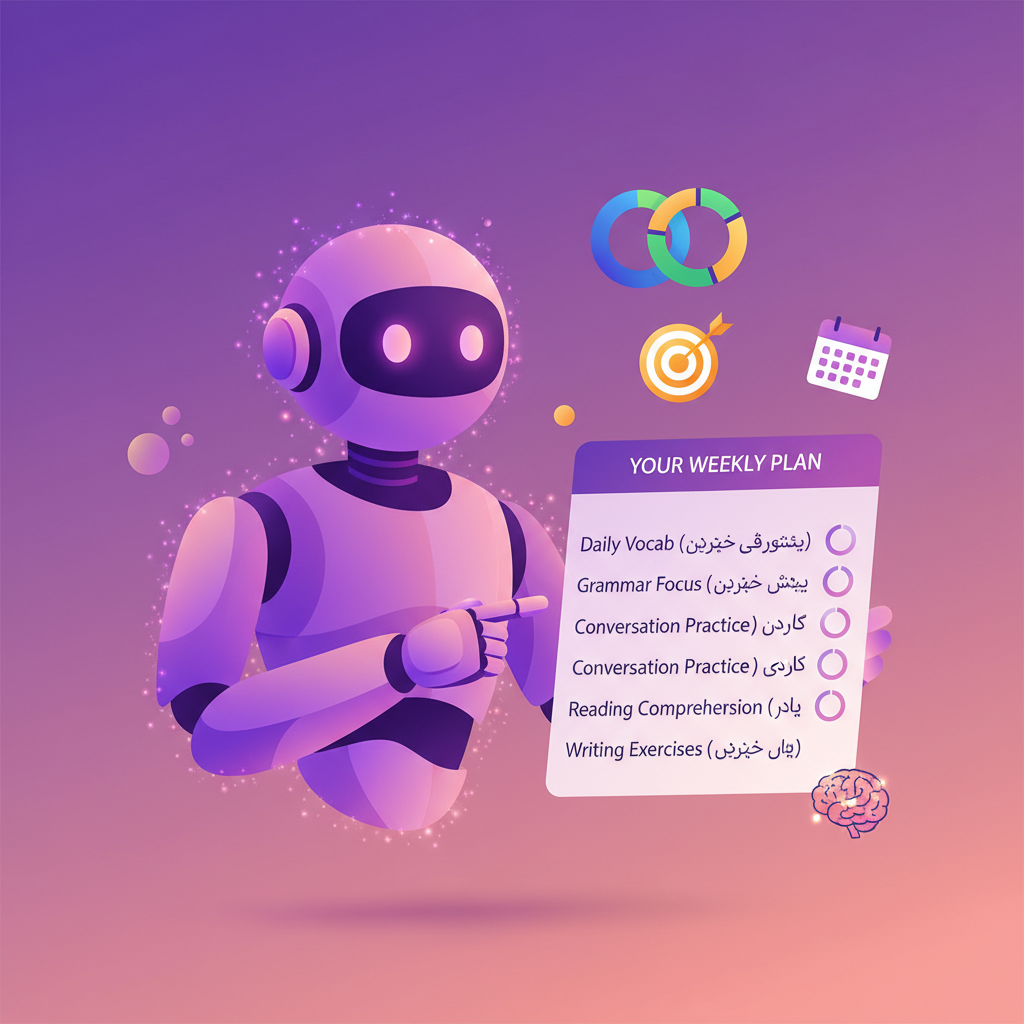
Every learner gets a private weekly coaching plan, generated from their own activity — not a template. It diagnoses the one thing slowing you down, prescribes seven concrete steps, and tells you exactly which screen to open for each.

Reads your activity

The last 7 days across vocab, writing, speaking, reading, videos, journal & streaks.

Diagnoses the gap

Spots the one weakness slowing you most — backed by real metrics, not guesses.

Prescribes 7 steps

A 7-day plan with deep-link routes (/reviews, /reading, /speak/...) you can tap & go.

In your language

Headline, diagnosis, growth area, every step — bilingual: English + your native.

Sample 7-day prescription

  1. 112 min · Vocabulary reviews
  2. 315 min · Reading passage on weak topic
  3. 58 min · Speaking flashcards
  4. + 4 more steps tailored to your data…
AI Coach generating a personalised weekly study plan
“Most learners abandon language apps because they don't know what to do next. The AI Coach removes that friction entirely. You open the dashboard, you see the next step, you tap it. Compounded over a year, that's the difference between practising 3 days a week and 6.”
— LinguaDig design notes — why this matters

Refreshable on demand

50+ native languages

Auditable metrics

Cross-feature routing

Source Studio · 9 writing skills · NEW

Read it, then write about it.

Every Source Studio source unlocks 9 writing drills — from a 1-paragraph paraphrase to a full IELTS Task 2 essay grounded in the source's evidence. Each one is graded on its own rubric, and passing scores spawn a 4-day spaced re-attempt schedule.

Reading · 21 new tools

Reading just became a first-class habit. 📖

Bilingual guides, deep statistics, attempt-vs-attempt comparison, milestones, public sharing, daily reminders — every Reading screen now has the depth Speaking earned last cycle.

  • Bilingual Reading Guide — a 7-section walkthrough in your target language, one tap from any Reading page.
  • Reading Stats — speed & accuracy trends, question-type radar, weekly vocab growth, exam-readiness gauge.
  • Compare attempts — diff any two passes on the same passage with score, WPM, and per-question deltas.
  • Milestones gallery — 12 tiles on your profile celebrate first passage, 100-passage club, streaks & mocks.
  • Sharing & PDF export — share any attempt at /shared/reading/:token or export a Unicode + RTL-safe scorecard.
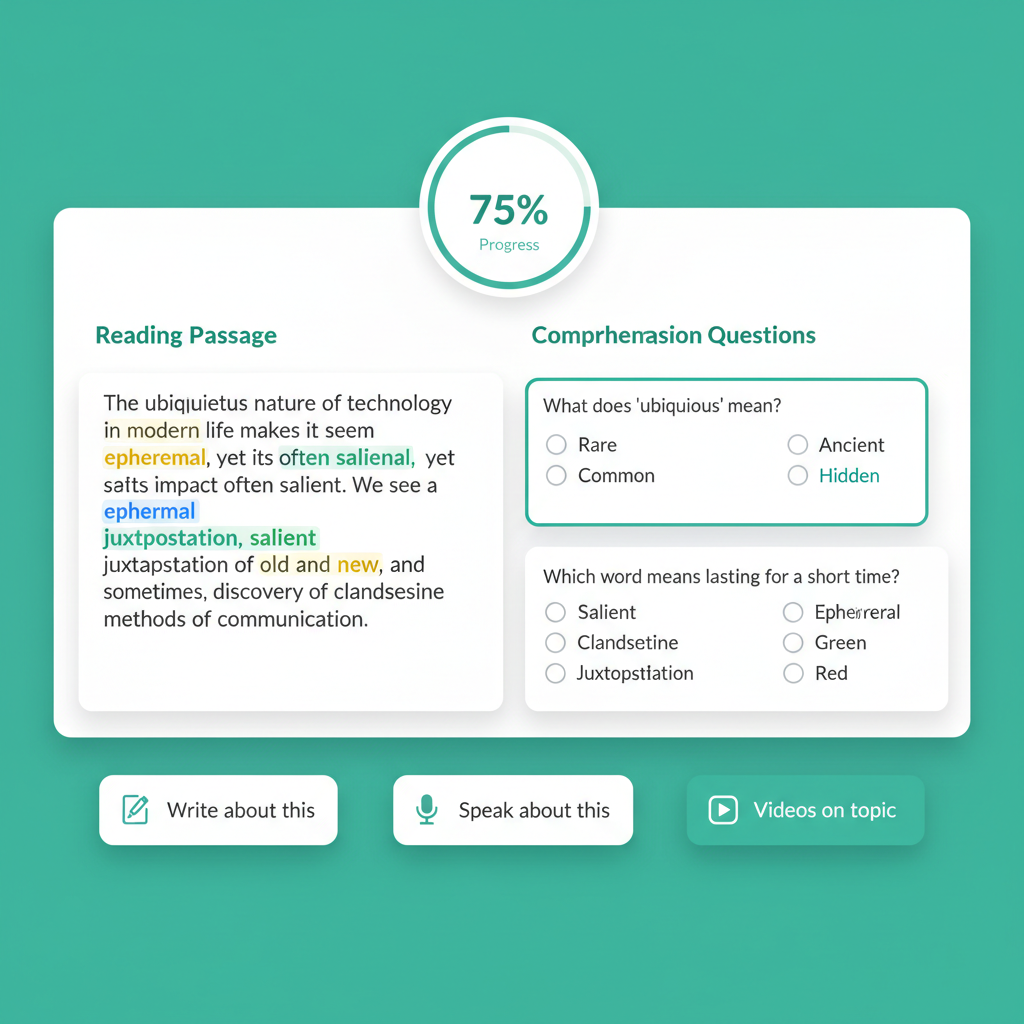
  • Cross-hub bridges — every passage now offers "Write about this", "Speak about this", and "Videos on topic".
“A passage isn't a dead end — it's the start of three other practice loops. Read it, write about it, speak about it. The same vocabulary surfaces 4× in 24 hours, and that's why it sticks.”
— Why this matters

Works with

Write & CorrectSpeakingVideosFlashcardsDaily reminders
Reading practice interface mockup

Speaking · 2026 spec

PTE and TOEFL Speaking — fully redesigned. 🎓

Both exam boards refreshed their Speaking sections in January. LinguaDig now matches the new specs end-to-end, with a Practice Hub for single-task drilling and Quick / Deep feedback modes so every recording earns its keep.

  • PTE Speaking — all 7 task types, including the two brand-new ones: Respond to a Situation 💬 and Summarize Group Discussion 👥.
  • TOEFL Speaking — 0-30 redesigned: 7 Listen & Repeat + 4 Take an Interview, with CEFR estimate.
  • Practice Hub at /speak/practice — a 9-card launcher to drill any single task type in 3 minutes.
  • Quick check ⚡ vs Deep dive 🔬 — get a fast score now, upgrade to deep feedback later without re-recording.
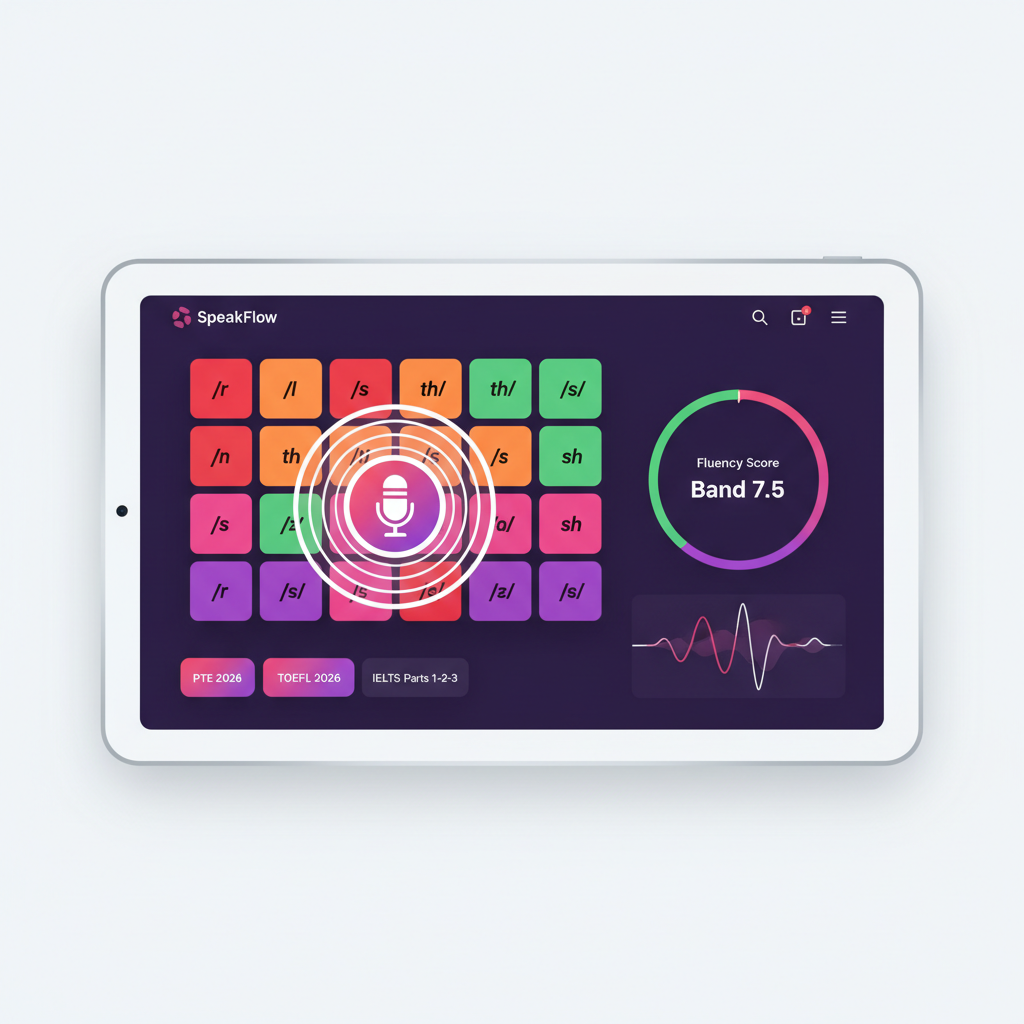
  • Pronunciation Lab — 15-sentence diagnostic, phoneme heatmap, minimal-pairs drills, word stress, intonation.
  • Auto-flashcards from your weakest sentences — and 4 brand-new drill kinds: Pragmatic Response, Speaker Resummary, Audio Repeat, Opinion Expand.
“Most pronunciation problems aren't "your accent" — they're 3 specific phoneme contrasts your mouth never learned. The diagnostic finds them in 15 sentences. The Lab fixes them. PTE Read-Aloud proves it.”
— Why this matters

Works with

ReadingPhoneme heatmapReviewsWritingStats
Speaking practice interface with phoneme heatmap

Video · v4

Your video lessons are now a study workbench. 🎬

Same videos, same transcripts — radically smarter page around them. Summary Studio, bulk vocab extraction, an 8-section AI Tutor Report PDF, and a live progress ring you can't lose.

  • Summary Studio — 8 formats (TL;DR, executive, detailed, academic, bullets, key takeaways, ELI5, chapter-by-chapter), tunable length / tone / focus.
  • Bilingual summaries — render English + your target language side-by-side. Copy, PDF, or save as a study note.
  • Extract every word — analyse the whole transcript (up to 100 items), filter by CEF level & type, bulk-add as flashcards (5 in parallel).
  • Multi-select vocab grid — tick the words you want, add in one go. Big time-saver on video-heavy days.
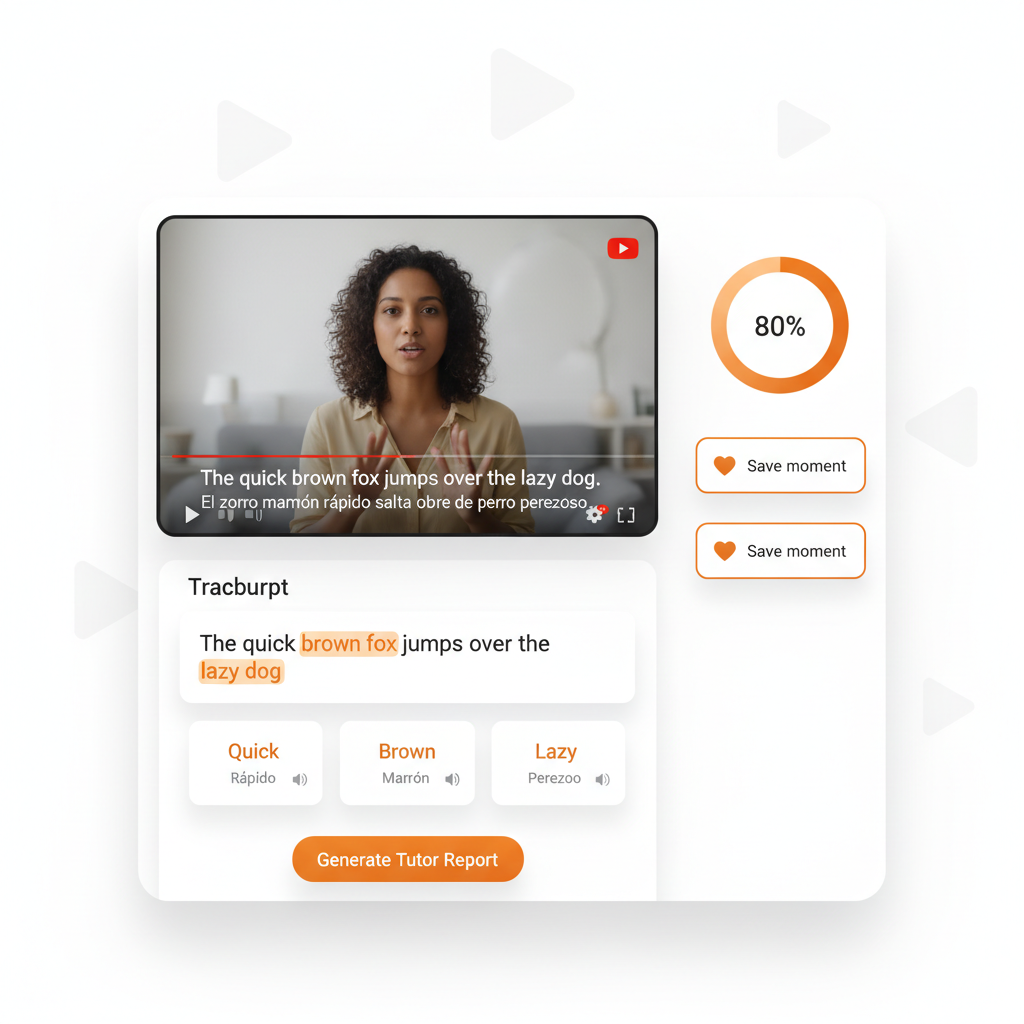
  • Advanced Tutor Report PDF — 8 sections, mini mastery bars, dictation weak spots, 3 next-action recommendations. Bilingual optional.
  • Live progress ring in the header — watched %, quiz score, and mode completion all in one ratcheting ring.
“Watching a video to "improve your English" is mostly a comforting illusion. Mining 12 specific words from it, drilling them in spaced repetition, and re-using them in your next journal entry — that's actual learning.”
— Why this matters

Works with

FlashcardsReviewsReading bridgeSpeaking bridgeWriting bridge
Video lesson interface with transcript and tutor report

Write & Correct · refreshed

Sentence-by-sentence corrections, in your language. ✍️

Every essay, journal entry, and exam response is graded against the official rubric — with corrections explained in your native language and the worst sentences mined into spaced-repetition flashcards automatically.

  • IELTS Task 1 (report or letter) + Task 2 essay · TOEFL Academic Discussion + Integrated · PTE SWT, Email & Essay.
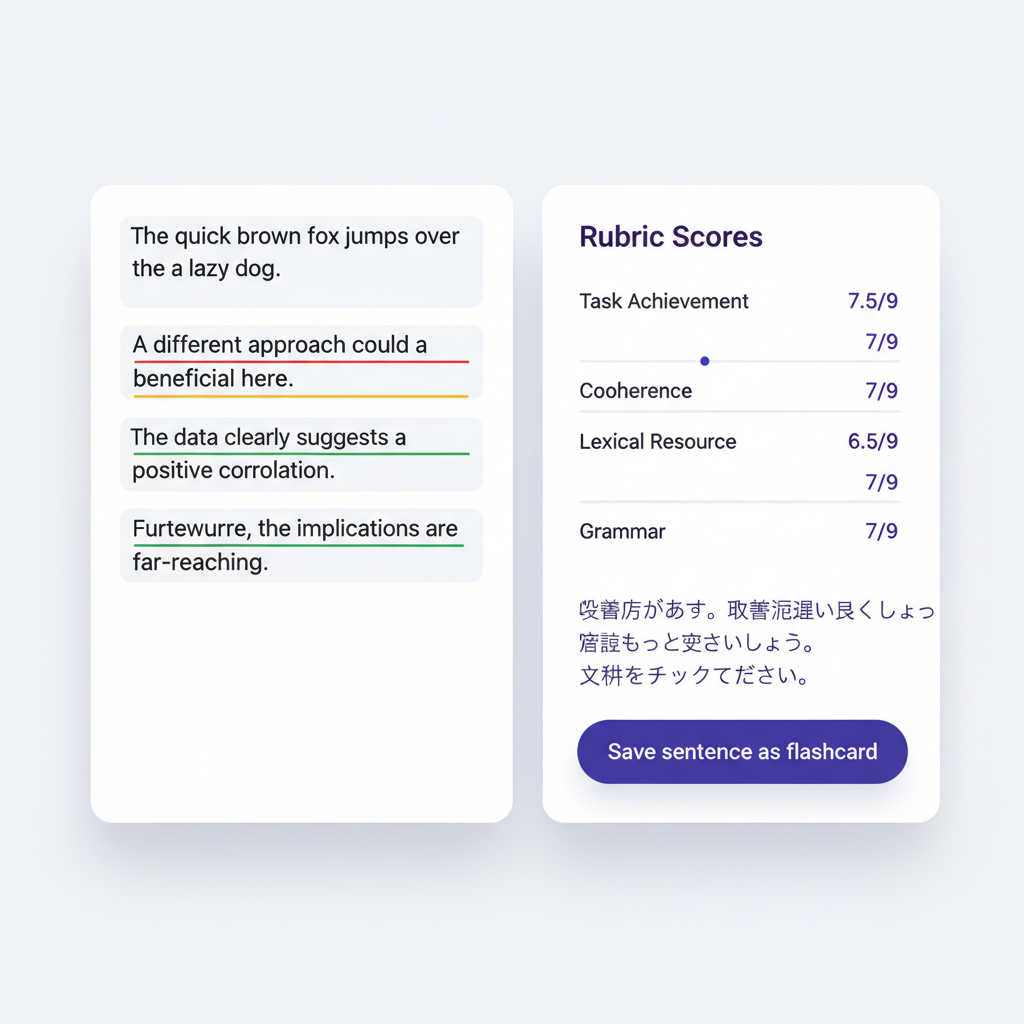
  • Per-sentence diff with error type, correction, and a translated explanation in 50+ languages.
  • Daily journal mode — write a few sentences, get gentle corrections, build the streak. Top errors auto-mined into flashcards.
  • Compare attempts — see how your IELTS Band 6.5 essay improved to a 7 the next round.
  • Expert tip tutorials — save any tip from the feedback panel as a 5-section tutorial flashcard.
  • Voice dictation — when you'd rather speak your essay than type it.
“The same grammar mistake repeated 40 times across a year is the single biggest reason essays plateau at Band 6.5. Auto-mining your top errors into a review queue is the only thing that fixes it permanently.”
— Why this matters

Works with

Reading bridgeSpeaking bridgeReviewsJournal streakFlashcards
Writing correction interface with rubric scores and per-sentence feedback
🧩 Cross-feature coherency

Every skill feeds every other skill — automatically.

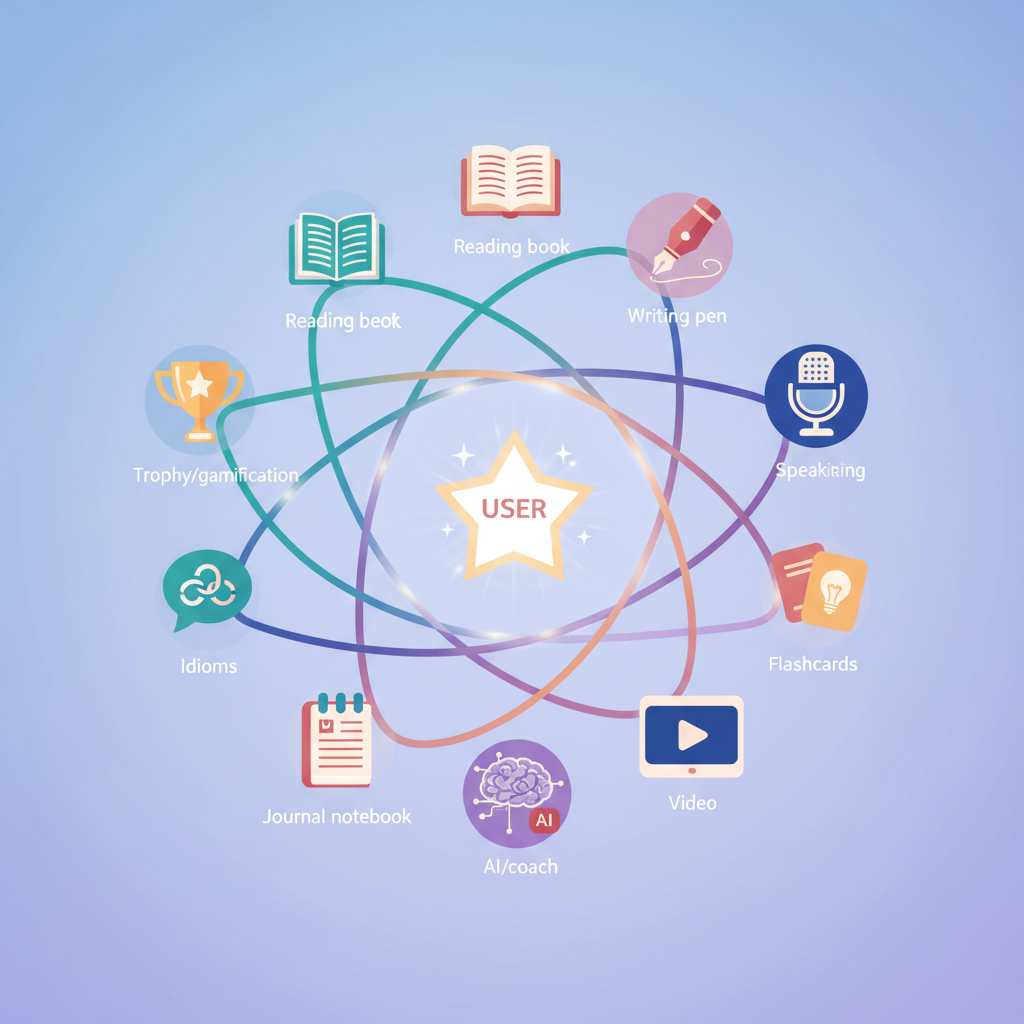
The biggest difference between LinguaDig and a folder full of separate apps: the same vocabulary surfaces across reading, writing, speaking, and your daily review queue until you've seen it in 5 different contexts.

Cross-feature flow diagram

Read → Write → Speak → Remember

Finish a passage, click "Write about this" or "Speak about this", and your essay/recording arrives pre-loaded with the source context. Vocabulary you use again earns bonus credit — and any errors become flashcards.

📖 Read
✍️ Write
🎙️ Speak
🧠 Auto-flashcards

Watch → Mine → Master

Save any moment in a YouTube lesson — the word goes straight into your deck with the source video timestamp. Spaced repetition then guarantees it sticks long-term.

🎬 Watch
⭐ Save moment
🃏 Flashcard
🔁 8-day SR

Write mistakes → Targeted drills

Top errors from your essays become writing flashcards with 3-set MCQ exercises. Your weekly review rotates through them so the same mistake stops repeating.

✍️ Submit
🔍 Error mined
📇 Flashcard
📈 Review

Speaking gap → Personalised practice

Phoneme heatmap reveals weak sounds → minimal-pairs drill → reading passage rich in that sound → re-test in PTE Read-Aloud. Each surface builds on the last.

🎙️ Speak
🔥 Heatmap
🎯 Drill
📖 Re-test
The platform map

11 surfaces. 15 bridges. Zero dead ends.

Tap any node to jump to that screen. The labelled bridges are real cross-feature actions you'll find inside the product — not a wishlist.

Live cross-feature bridges

sourcespeaking· Live conversation about sourcesourcewriting· Source-grounded essaysourcereading· CEFR rewrite (A2→C2)readingwriting· Write about thisreadingspeaking· Speak about thisvideoflashcards· Save momentvideowriting· Practice writingwritingflashcards· Auto-mine errorsspeakingflashcards· Weak sentence cardsjournalflashcards· Top errors → cardsflashcardsreviews· 8-day SR enginereviewsgamify· XP + streaksidiomsflashcards· Add to deckspeakingreading· Phoneme-rich passagesgamifyprofile· Milestones gallery

Subscriptions · NOWPayments

Pay in crypto. Cancel any time. No surprises. 👑

A complete monetisation layer that respects your wallet — and your trust. Free, Pro, and Max plans with monthly or yearly billing, scheduled promotions on the Pricing page, redeemable coupons, and a 5-day unrestricted free trial for every new account.

  • 3 plans · 2 cycles — Free with monthly resets, Pro and Max with monthly or yearly billing. Yearly saves 50%.
  • 5-day unrestricted free trial — every new account, no card needed.
  • Crypto-first checkout — BTC, ETH, USDT, USDC and 100+ more via NOWPayments. We never see your wallet keys.
  • Promotions banner on /pricing — schedule discounts months in advance, with audience targeting and stacking rules.
  • Coupon codes — bulk-generate single-use or pool codes, redeem from any plan card.
  • One-click cancel from /subscription — keep access until the period ends, then auto-flip to Free.

Works with

Pricing pagePromotionsCouponsWebhook diagnosticsAudit log
Subscription plans illustration

Challenges · XP · Streaks

Motivation that actually compounds. 🏆

Every action earns XP. Streaks survive busy days. Daily / weekly / all-time leaderboards keep you in honest competition with yourself and the community. And curated challenges keep you trying skills you'd otherwise avoid.

  • XP for everything — flashcards created, reviews completed, passages read, speaking sessions, writing submissions, video minutes.
  • Streak protection — the streak counts learning activity, not just one specific feature, so a packed Reading day still keeps yesterday's Speaking streak alive.
  • 3 leaderboards — today / this week / all-time. See where you rank and who's climbing fast.
  • Curated challenges — weekly mini-quests pulled from a template library, calibrated to your level.
  • Milestone galleries — Reading, Speaking, and Streaks each have their own framed gallery on your profile.
  • Subtle celebrations — confetti on big wins, never on routine ones (we respect your time).

Works with

ProfileStatsDaily goalPublic leaderboard
Gamification illustration
Exam coverage · 2026

Three majors. All three skills. Format-locked.

Authentic question types, official scoring scales, and real timing. Practise the exam you're taking — not a generic version of it.

IELTS
  • Reading

    Academic + General · 12-14 questions per passage · Q-types covered

  • Writing

    Task 1 (report or letter) + Task 2 essay · 0–9 band scoring

  • Speaking

    3-part interview (cue card prep + follow-ups) · 0–9 band

TOEFL iBT
  • Reading

    2026 format incl. "Complete the Words" · academic prose

  • Writing

    Academic Discussion + Integrated · 0–5 + scaled 0–30

  • Speaking

    7 Listen & Repeat + 4 Take an Interview · 0–30 score

PTE Academic
  • Reading

    Multiple-choice, re-order paragraphs, fill-in-blanks · 10–90

  • Writing

    SWT, Email & Essay · 10–90 contributory band

  • Speaking

    All 7 task types incl. RTS & Group Discussion · 10–90

How we got here.

A short history of recent shipments — so you can see the cadence and what's likely next.

Source Studio v4 · multi-source

May 2026
  • • 🗂️ Stage up to 15 files / URLs / pastes in one tray
  • • 🪡 Combine into one source — or keep them separate
  • • 🌐 Run any AI feature across "all my sources"
  • • 💬 AI chat now cites which source each insight came from
  • • 🔄 Per-part retry, append, remove on combined sources
  • • ⚖️ Merge & split tools with 30-day undo
  • • 📊 Quality scoring + partial-extraction badges
  • • 📤 Whole-library export (PDF / Markdown / JSON zip)

Spring release

April 2026
  • • 🧭 AI Coach — bilingual weekly plans
  • • Reading 2026 (21 tools)
  • • Speaking 2026 (PTE + TOEFL redesign)
  • • Subscriptions & crypto payments
  • • Promotions & coupons
  • • Admin Webhook Diagnostics
  • • AI Tutor — multimodal chat with images & docs

Video v4

February 2026
  • • Summary Studio (8 formats)
  • • Bulk vocab extractor
  • • Advanced Tutor Report PDF
  • • Live progress ring
  • • Performance code-splitting

Speaking suite

January 2026
  • • Free Talk + IELTS + TOEFL + PTE runners
  • • Pronunciation Lab (15-sentence diagnostic)
  • • Phoneme heatmap & minimal-pairs
  • • Auto-flashcards from weak sentences

Reading & Writing

November 2025
  • • Reading hub launched
  • • Write & Correct redesign
  • • Journal mode with auto-flashcards
  • • Sentence mining → review schedule
Try one thing right now

The fastest way to feel the difference?

Pick any of these three and try it for 5 minutes. You'll see the cross-feature loop in action — and your dashboard will quietly start tracking everything.